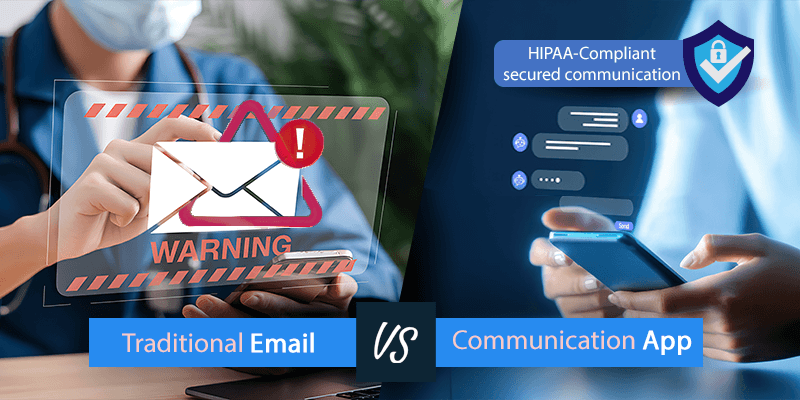
HIPAA does not ban email. It does require safeguards for protected health information, and standard email rarely has them out of the box.
The short answer
- Email can be used compliantly with encryption, access controls, authentication and monitoring in place.
- Standard accounts are not compliant by default. Compliance depends on how the service is configured and on the agreement behind it.
- A signed business associate agreement (BAA) is required with any provider that handles PHI for you.
- A patient can ask for unencrypted email once they understand the risk. That is the patient’s choice, not a safeguard.
- Many agencies move PHI conversations to a purpose-built secure communication platform and keep email for everything else.
What HIPAA says about email
HIPAA does not prohibit email for healthcare communication. It requires administrative, technical and physical safeguards for electronic PHI. Two rules do most of the work.
The Privacy Rule
The Privacy Rule governs how PHI is used and disclosed. Providers may email patients if they take reasonable steps to protect the information, and should share only the minimum necessary. An appointment time or a follow-up instruction fits. An unrelated medical history does not.
The Security Rule
The Security Rule covers electronic PHI: encryption in transmission, access controls, authentication and audit trails. Encryption is “addressable,” which means you implement it or document why an equivalent measure protects the information just as well. The full regulation text is public. HHS has also proposed an update to bring the Security Rule in line with current technology.
Can you email PHI?
Yes, when the privacy and security requirements are met: encryption, access controls, authentication and monitoring. If a patient asks for unencrypted email, a provider may comply after telling the patient about the risks and the patient accepting them.
What HIPAA-compliant email requires
Encryption
Encryption turns readable data into coded data that only authorized recipients can open. In transit protects a message while it moves across a network. At rest protects it on servers, platforms and backups. Expect it whenever PHI is sent electronically.
Access controls and authentication
- Strong passwords or multi-factor authentication for every user.
- Role-based access tied to job responsibilities.
- Accounts removed or changed when staff leave or change roles.
Audit trails and monitoring
You need to show how sensitive information was accessed and sent. Audit trails give a compliance review something to read.
A business associate agreement
A BAA is a contract between a covered entity or business associate and a vendor that handles PHI. It sets who is responsible for protecting the information, requires the vendor to meet the Security and Privacy Rules, and defines breach notification and incident response. Without one, an email provider cannot lawfully handle PHI for your organization.
When email is not compliant
Email was not designed for healthcare. A service that advertises secure messages and attachments can still fall short of the requirements above, so check each control against the list rather than the marketing.
Are Gmail and Outlook HIPAA compliant?
Google Workspace and Microsoft 365 can be used compliantly. They are not compliant by default. It takes a signed BAA, the right configuration and the safeguards above, and the responsibility for getting that right stays with you.
Secure messaging compared with traditional email
| Area | Traditional email | Secure messaging platform |
|---|---|---|
| HIPAA | Needs configuration and added safeguards. | Designed for HIPAA communication. |
| Encryption | Transit and at-rest protection may need manual setup. | Encrypted in transit and at rest. |
| Access control | Varies by provider. | Role-based access. |
| Authentication | Often basic credentials. | Multi-factor and identity checks are common. |
| Audit trails | Limited, or need extra tools. | Built in. |
| Misdirected messages | Higher risk of the wrong recipient. | Verified user directory. |
| Speed | Delayed, with fragmented threads. | Real-time messaging. |
| Workflow | Separate from clinical systems. | Often connected to workflows. |
| Monitoring | May need added tools. | Monitoring and breach detection included. |
The comparison is general. Check any specific product against the controls in this post before you rely on it. More on secure instant messaging for healthcare professionals and the security risks in healthcare communication.
How to choose a HIPAA-compliant communication solution
Start by verifying each control above, in writing, with the vendor. Then look at fit: whether your team will actually use it at the moment email would be the shortcut.
Buzz from Skyscape brings secure messaging, calls, fax, file sharing and video visits into one place for care teams, patients and partners. See the HIPAA-secure communication features, or the Buzz FAQ.